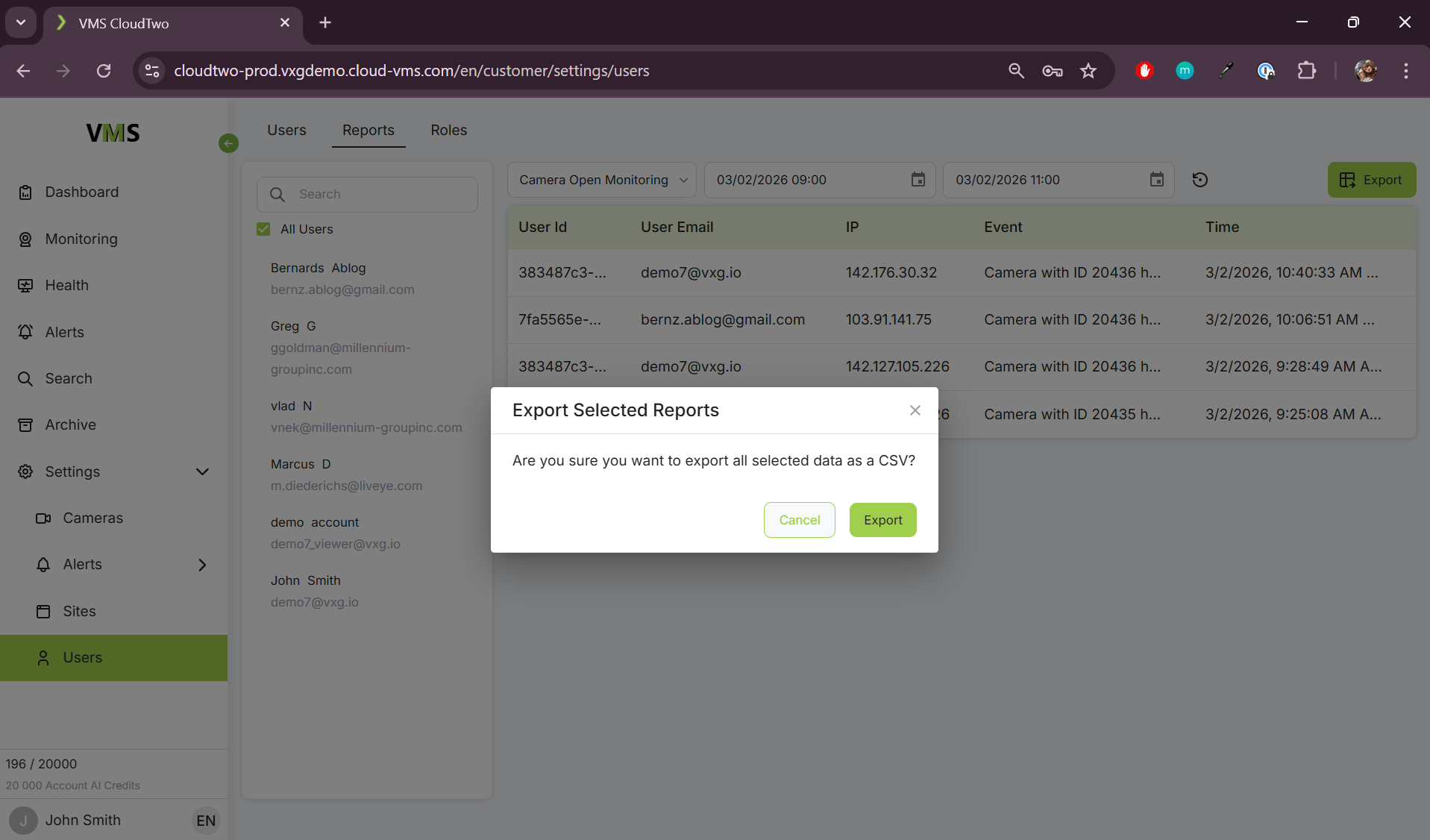
The Users page allows you to manage user accounts and assign roles based on their access level. Here you can also see reports of all actions performed within the system by any user.
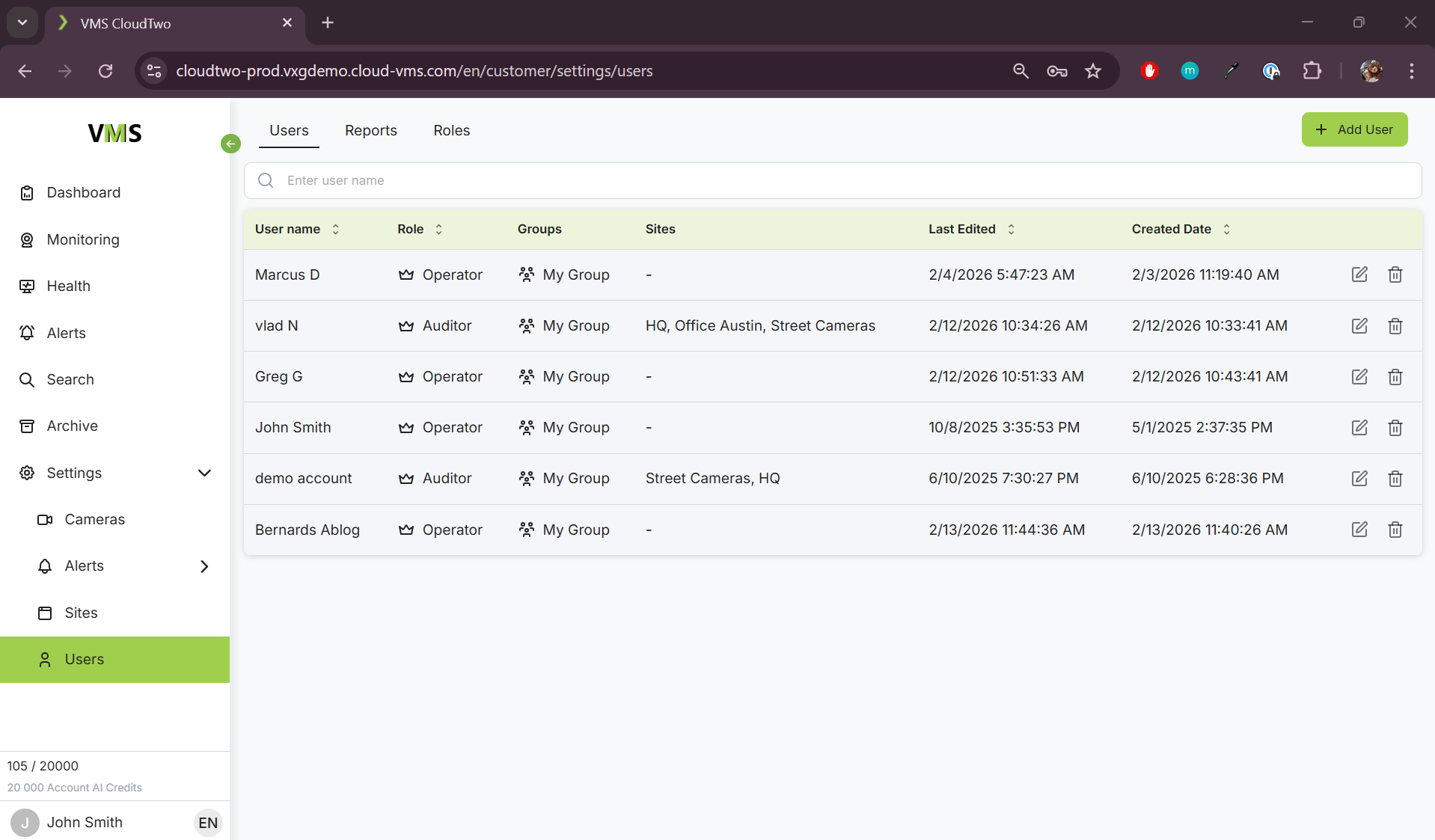
Built-in User Roles
1. Operator
-
Manages, views, and controls camera settings.
-
Manages alerts, sites and users.
2. Auditor
-
Views camera streams from assigned sites.
-
Monitors alerts from assigned cameras.
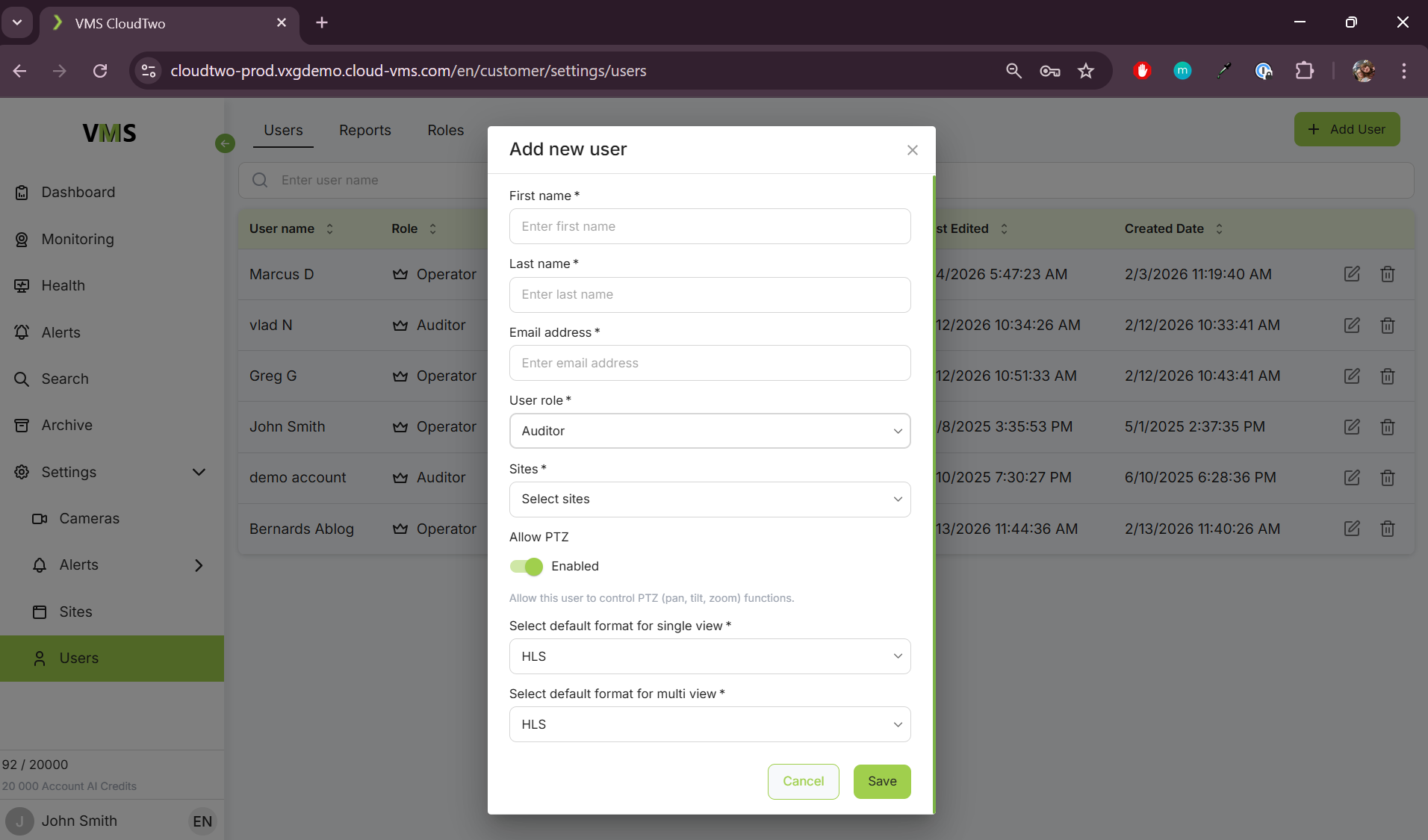
Adding a New User
-
Click the "Add User" button.
-
Choose a Role:
-
Operator
-
Auditor
-
-
If adding an Auditor:
-
Assign sites they have access to
-
If they have access to PTZ controls
-
-
You can also assign the default streaming method, HLS or WebRTC for this user when opening a camera on the monitoring page.
-
Click Save to create the new user.
Reports
Here you can see all actions performed within the system including attempted logins, clip creation and opened camera streams. You can also filter by user, event type, and start and end time.
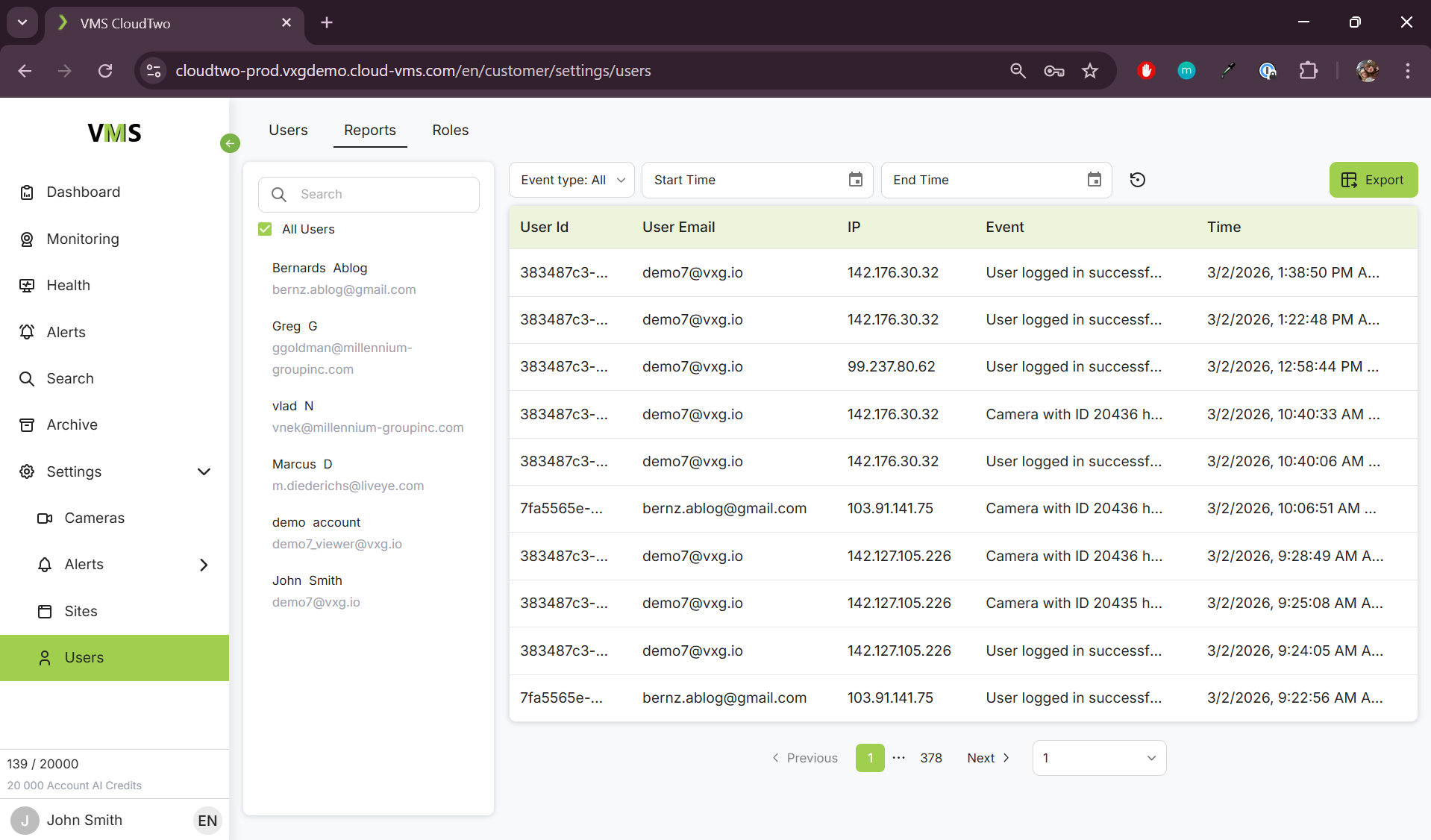
You can also export all logs, or logs with a specific filter into a CSV file by using the export button in the top right. Exporting all logs will show a warning that this action may take a while.