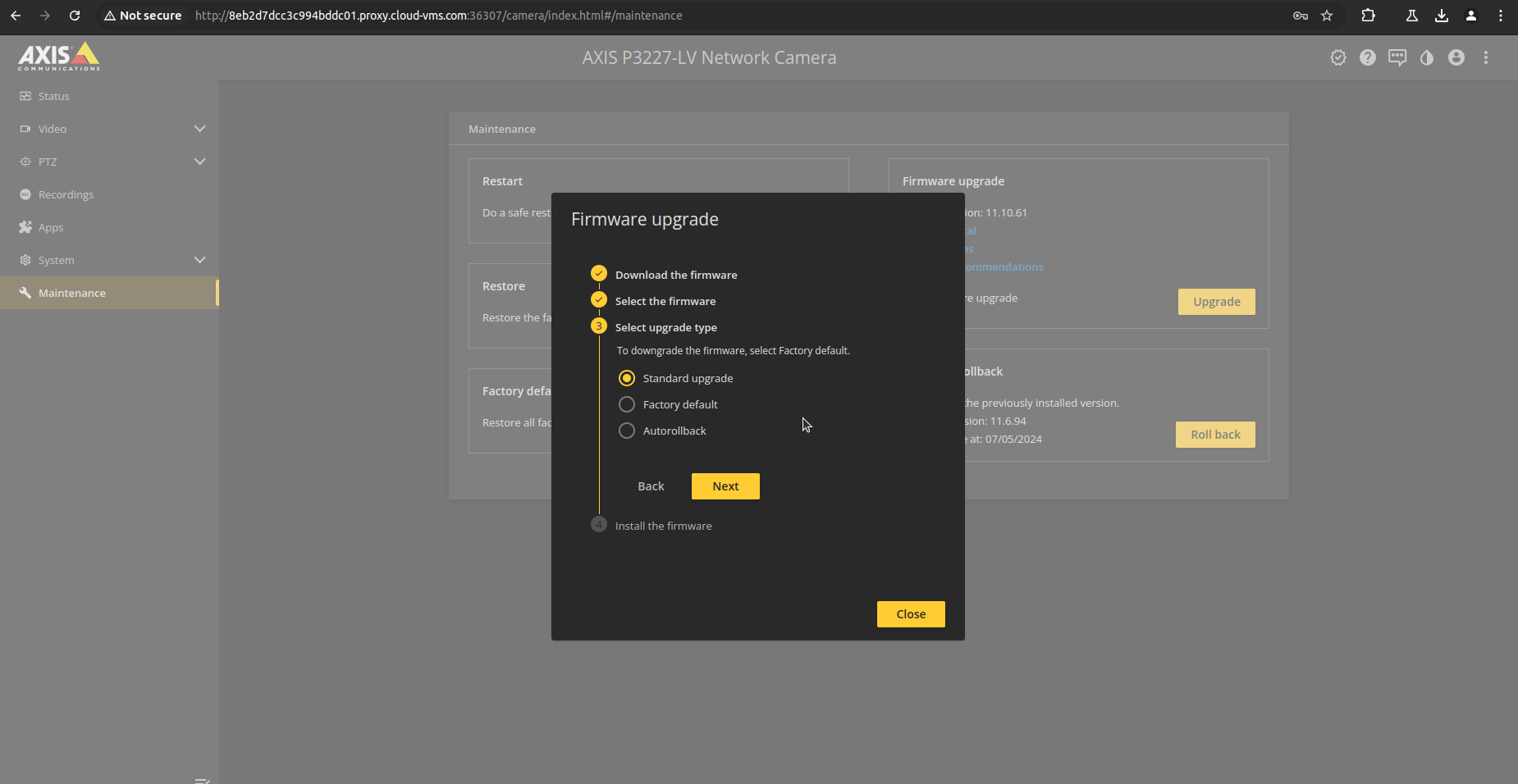
Instructions on how to remotely upgrade an Axis camera’s firmware through the Web UI via the Uplink connection.
-
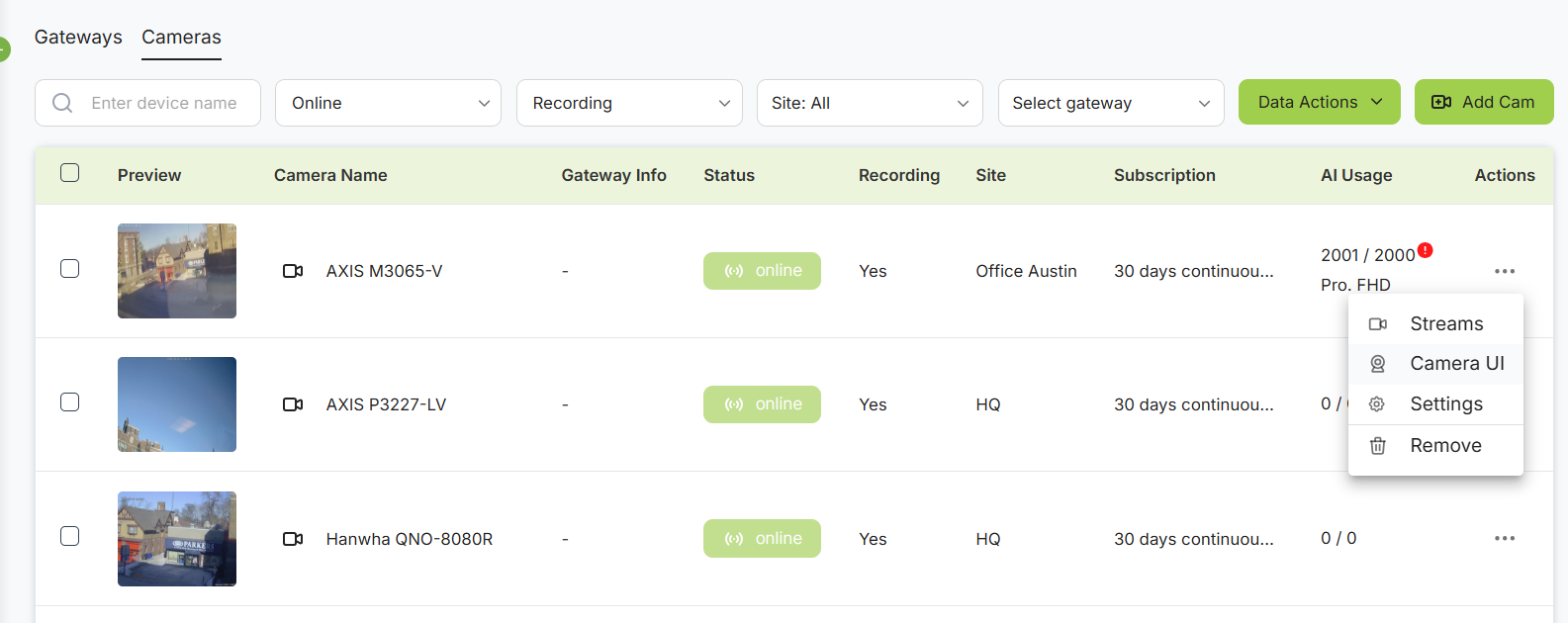
Access camera UI via Cloud VMS interface: Settings > Cameras > 3-dot button > Camera UI
-
Navigate to the Maintenance page in the Axis settings and select Firmware upgrade.
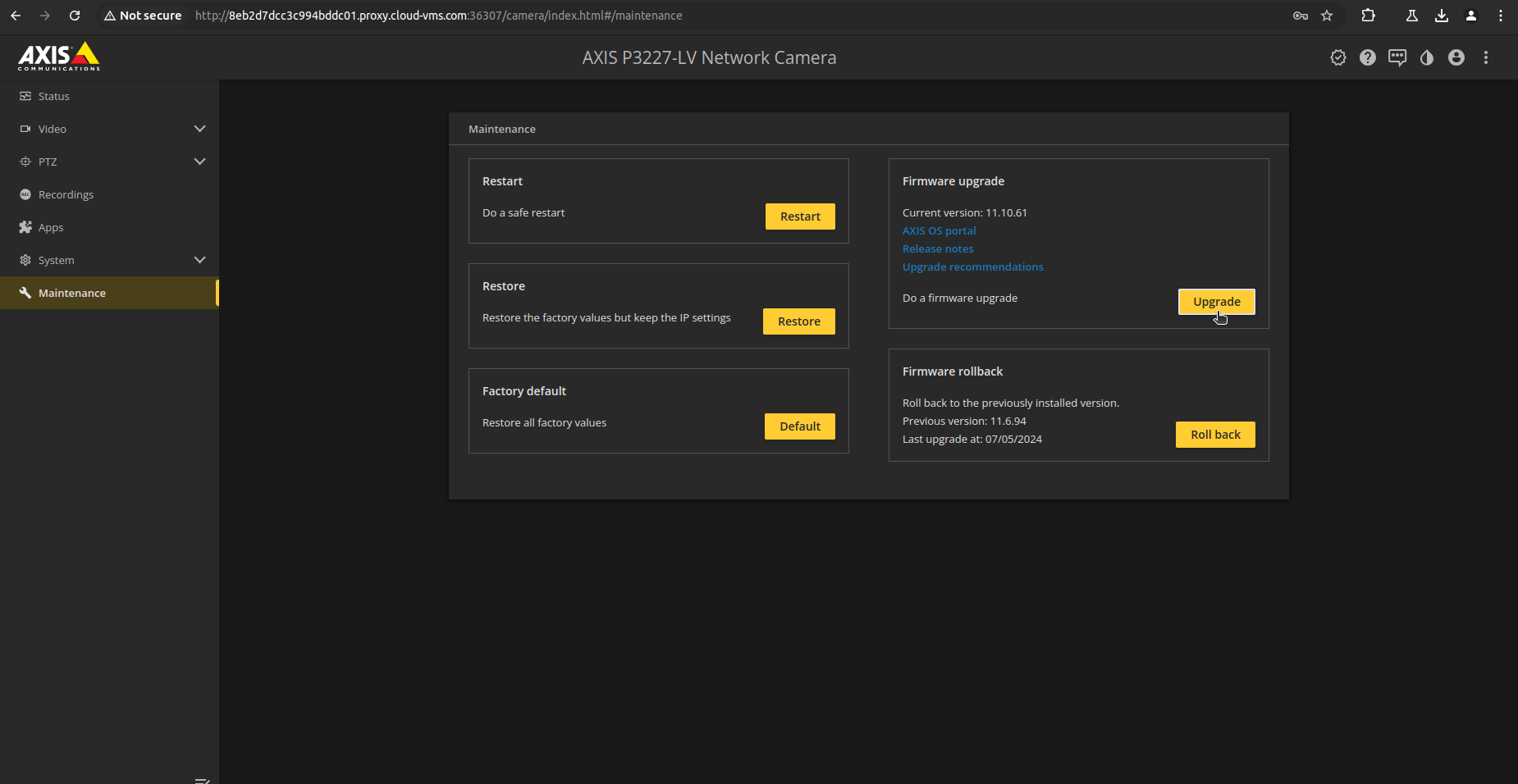
Maintenance page in Axis settings
-
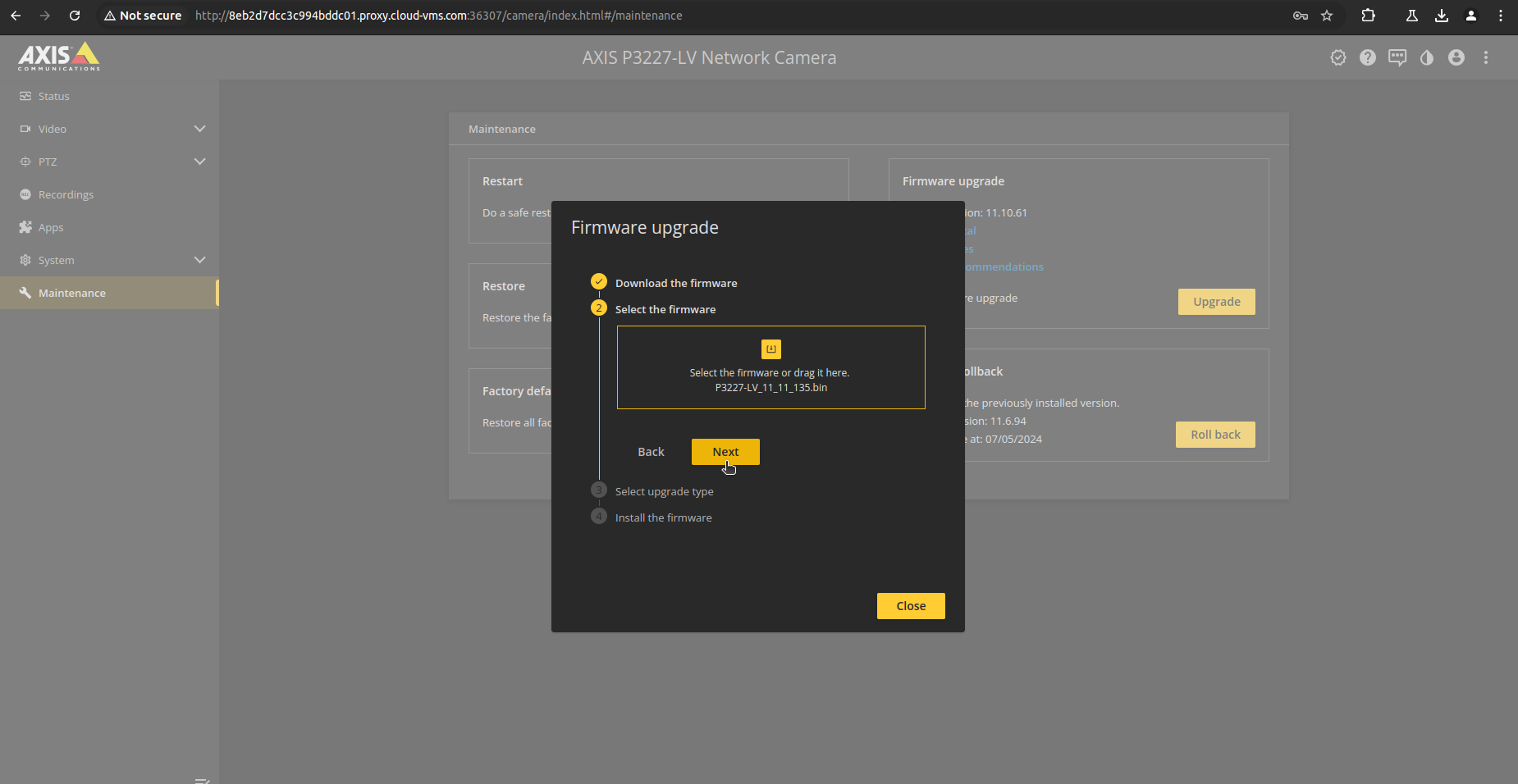
Download and select the firmware you want to update to.
-
Choose the option Standard upgrade and install the new firmware. The camera will reboot and will be inaccessible for some time. When the firmware is upgraded, the Uplink connection will restore and the camera will be back online.