This setup is designed to be configured and set up off-site, then brought to the customer’s side and connected to the internet.
Network Interface Settings
For pre-configuration, set the LAN interface to use the Static Address protocol.
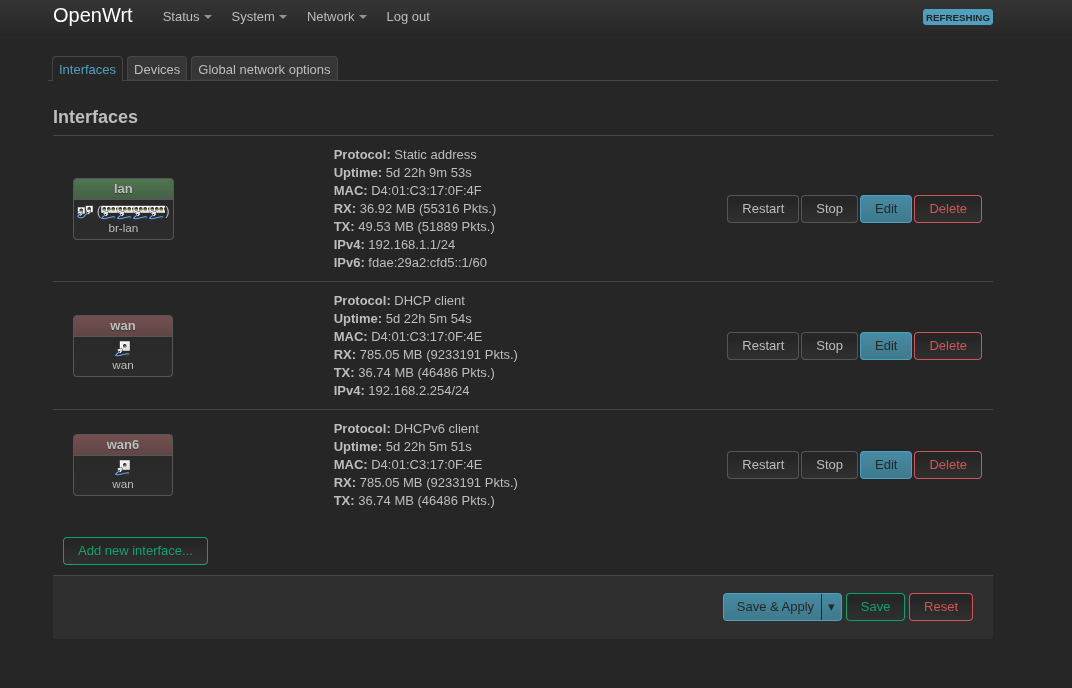
Network Example
First, we should provide internet to the gateway via port 1 (Internet). Then we can connect all other hardware downstream from the gateway so that the gateway is what manages and assigns IPs to the cameras.
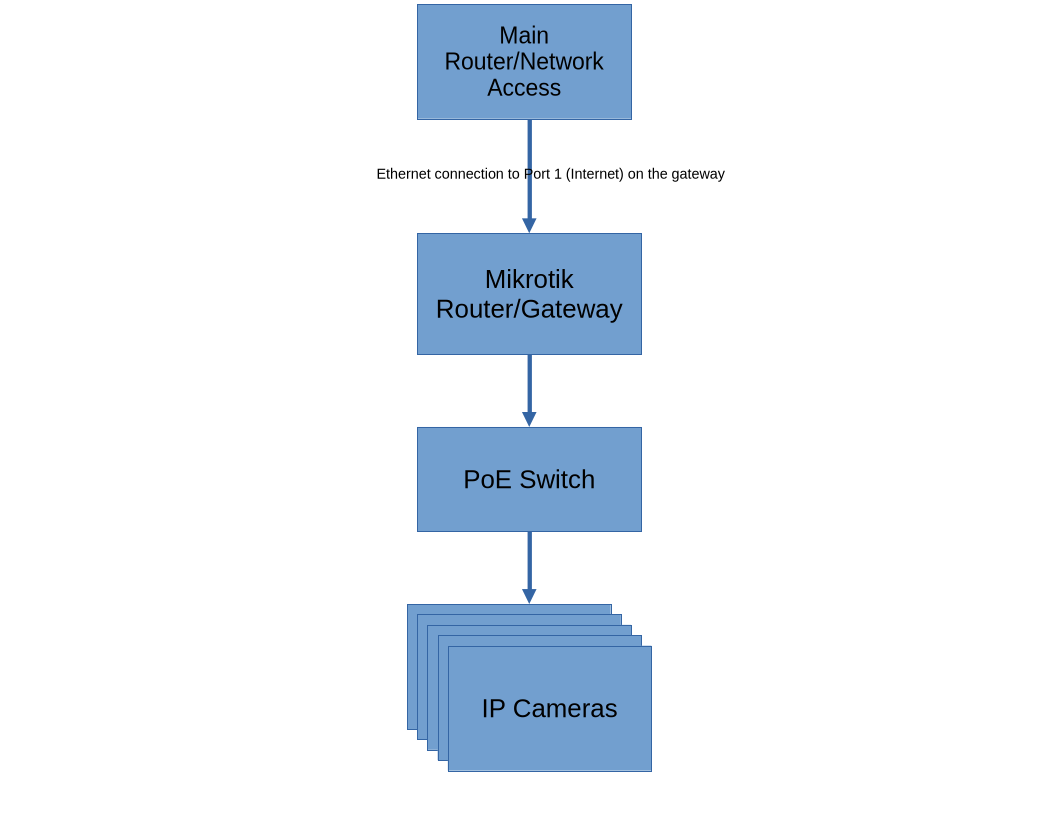
Adding Cameras
After the network is prepared as mentioned above, cameras can be found under DHCP clients in the gateway router’s interface.
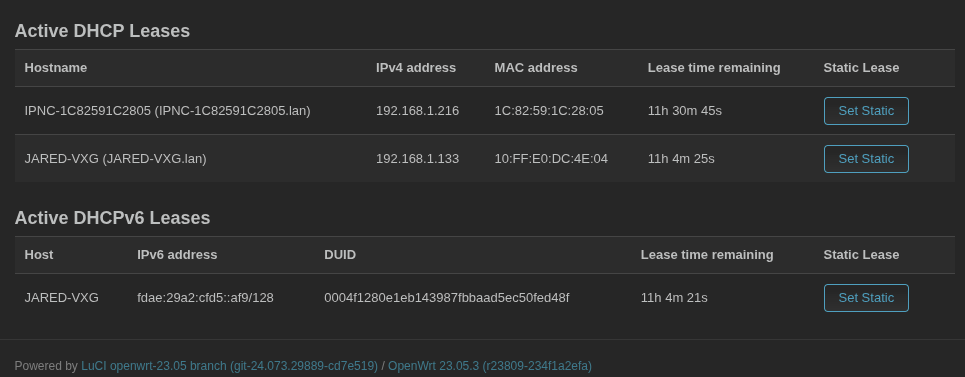
To ensure the cameras do not change local IP addresses, we should select Set Static for each camera.
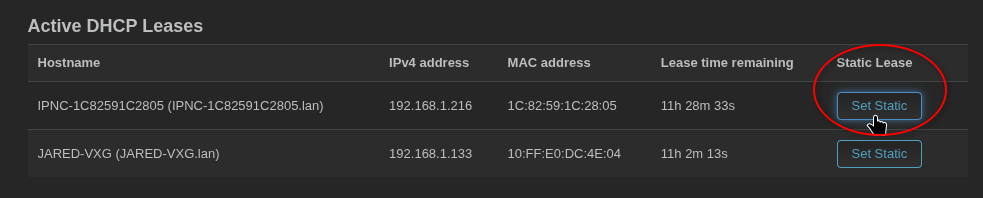
This should ensure that regardless of which network is providing the gateway access to the internet, the camera IP remains constant and the cloud connection for each camera will be configured properly.
After this setup, the gateway and cameras can be added to the platform using the normal procedure.