These instructions are to be followed after completing the How to Create and Manage a Face Collection instructions.
-
Identify the collection’s
collection_idand user’suser_idfor the person you want to setup an alert for.
Example for fetchingcollection_id: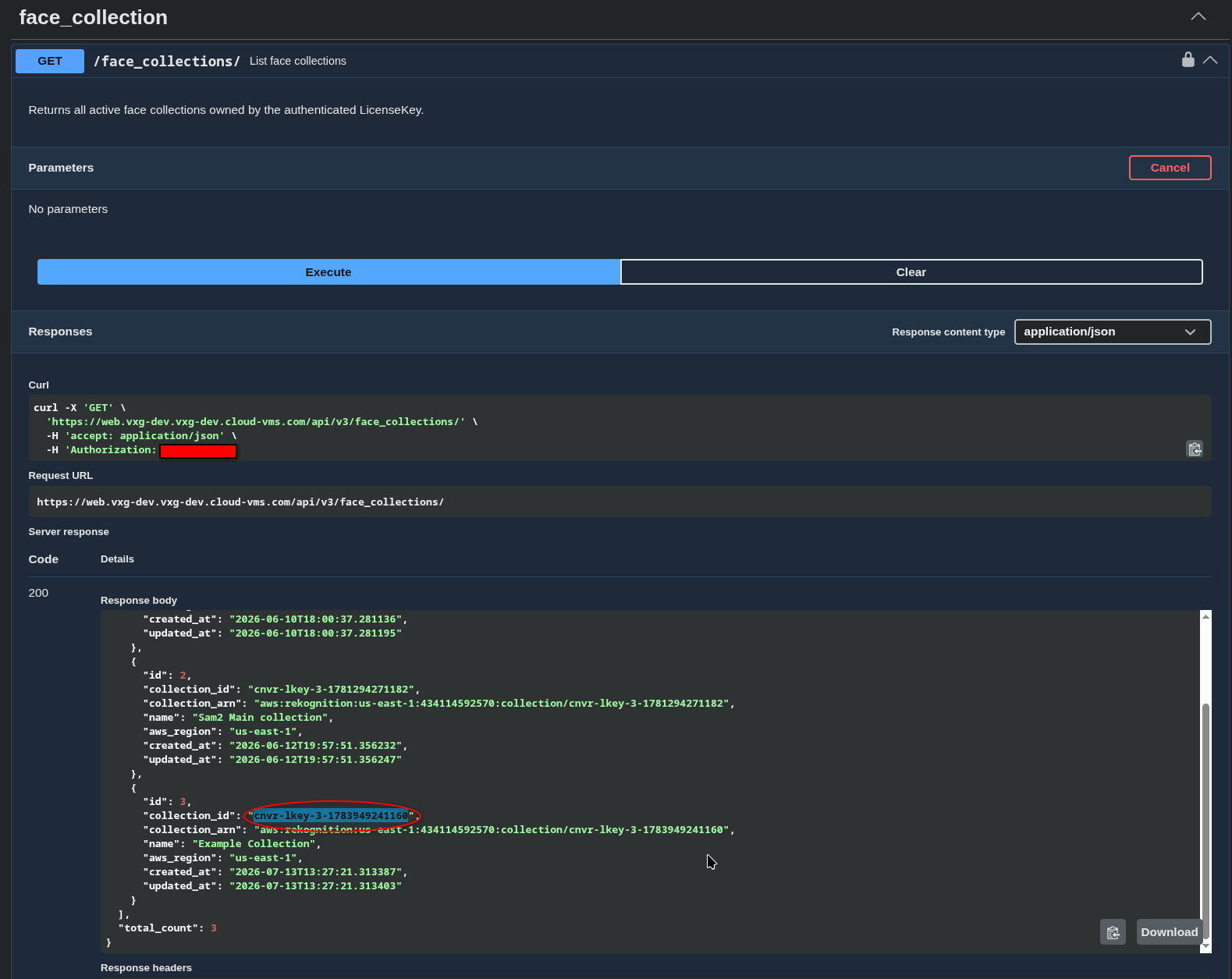
"collection_id": "cnvr-lkey-3-1783949241160"
Example for fetchinguser_id: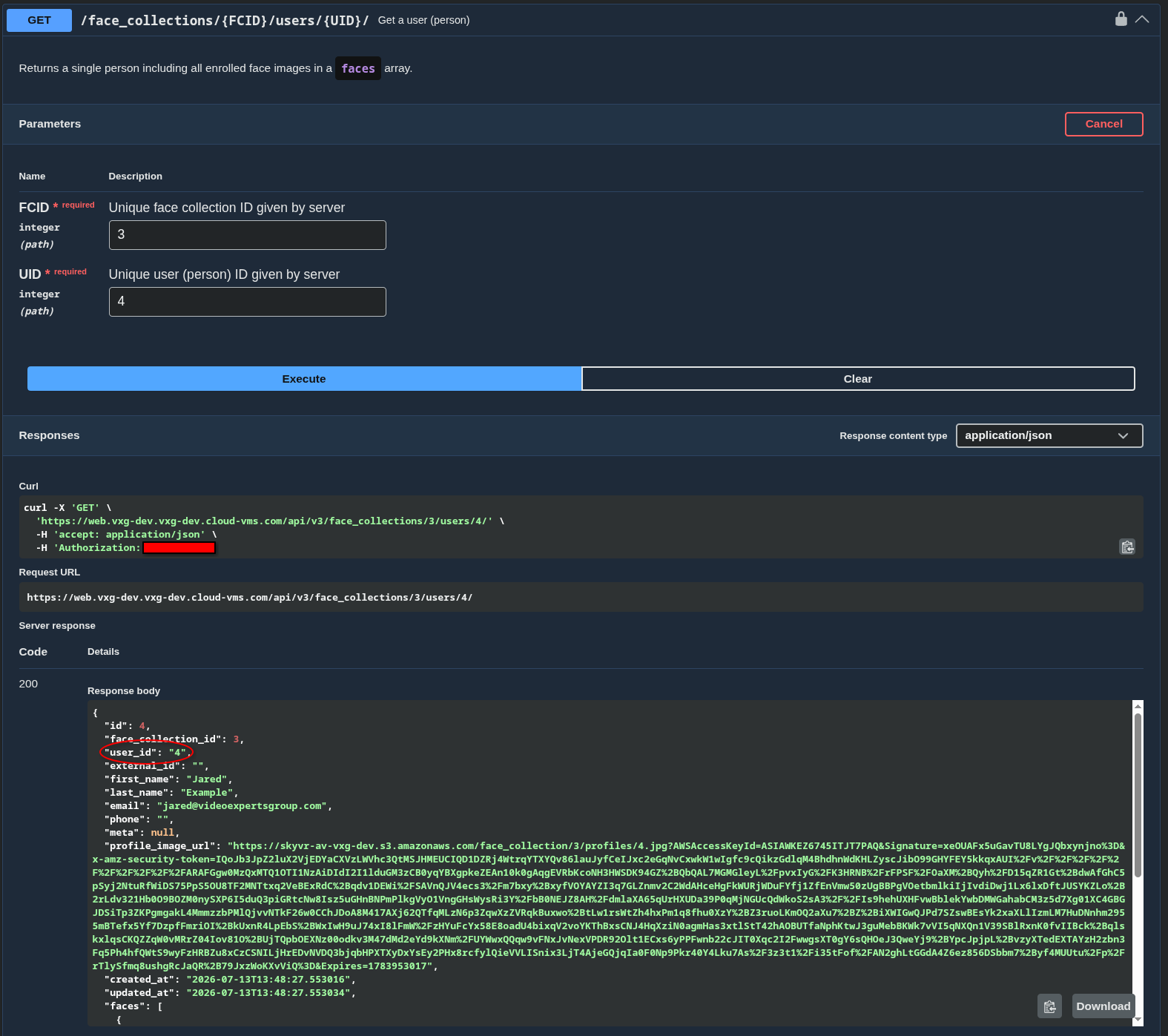
"user_id": "4"thisuser_idfields can be set to a custom value upon user creation, by default it is the same as theidof the face collection user in the system. -
Create an alert rule with the following meta properties.
"meta": {
  "CloudMeta": "true",
  "FacialRecognition": "AWS",
  "face_collection": "cnvr-lkey-3-1783949241160",
  "indexes": "4"
}
Full request body example:
{
  "alert_type": "human",
  "name": "Face Rec Example",
  "event_aliases": [
    "motion"
  ],
  "meta": {
    "CloudMeta": "true",
    "FacialRecognition": "AWS",
    "face_collection": "cnvr-lkey-3-1783949241160",
    "indexes": "4"
  },
  "site_ids": [],
  "camera_ids": [
    1095
  ],
  "schedule": {
    "monday": [
      {
        "start": "00:00",
        "stop": "23:59"
      }
    ],
    "tuesday": [
      {
        "start": "00:00",
        "stop": "23:59"
      }
    ],
    "wednesday": [
      {
        "start": "00:00",
        "stop": "23:59"
      }
    ],
    "thursday": [
      {
        "start": "00:00",
        "stop": "23:59"
      }
    ],
    "friday": [
      {
        "start": "00:00",
        "stop": "23:59"
      }
    ],
    "saturday": [
      {
        "start": "00:00",
        "stop": "23:59"
      }
    ],
    "sunday": [
      {
        "start": "00:00",
        "stop": "23:59"
      }
    ]
  },
  "recipients": {
    "app": [],
    "email": [],
    "sms": []
  }
}
-
Once the alert rule is properly configured and the user’s face is detected in an event thumbnail an alert will be created.
Example alert:{ "alert_rule_ids": [ 156 ], "alert_rule_names": [ "Face Rec Example" ], "alert_types": [ "human" ], "alias": "motion", "camid": 1095, "event_time": "2026-07-13T14:59:48", "eventid": 37371892, "id": 3964301, "meta": { "bedrock_image_resolution": "FHD", "bedrock_model_id": "us.amazon.nova-2-lite-v1:0", "exceptions": "", "face_collection": "cnvr-lkey-3-1783949241160", "faces": "4", "known_faces": "1", "total_faces": "1", "unknown_faces": "0" }, "siteid": 2411, "status": "Review", "status_description": "Alert is under review", "thumb": { "height": 1080, "id": 31912039, "size": 67832, "time": "2026-07-13T14:59:48", "url": "s3_url_to_thumb", "width": 1920 }, "time": "2026-07-13T14:59:52" }