This article outlines the creation and deletion of Face Collections in the V3 API.
Following the creation of a User in a Face Collection, the User can be used to create facial recognition alerts in the system. Please refer to How to Create a Facial Recognition Alert Rule for instructions.
Overview
Face Collections are a facial recognition feature backed by AWS Rekognition. A
License Key owns one or more Collections; each collection holds Users
(persons) and their enrolled Face images. When a face image is uploaded it is
first stored in S3, then indexed in Rekognition, and automatically associated
with the user. On the first face enrolment the system auto-detects and crops
the face region and saves it as the user's profile image (thumbnail);
subsequent faces do not overwrite it.
Creating a Face Collection
Make a POST api/v3/face_collections/ API call.
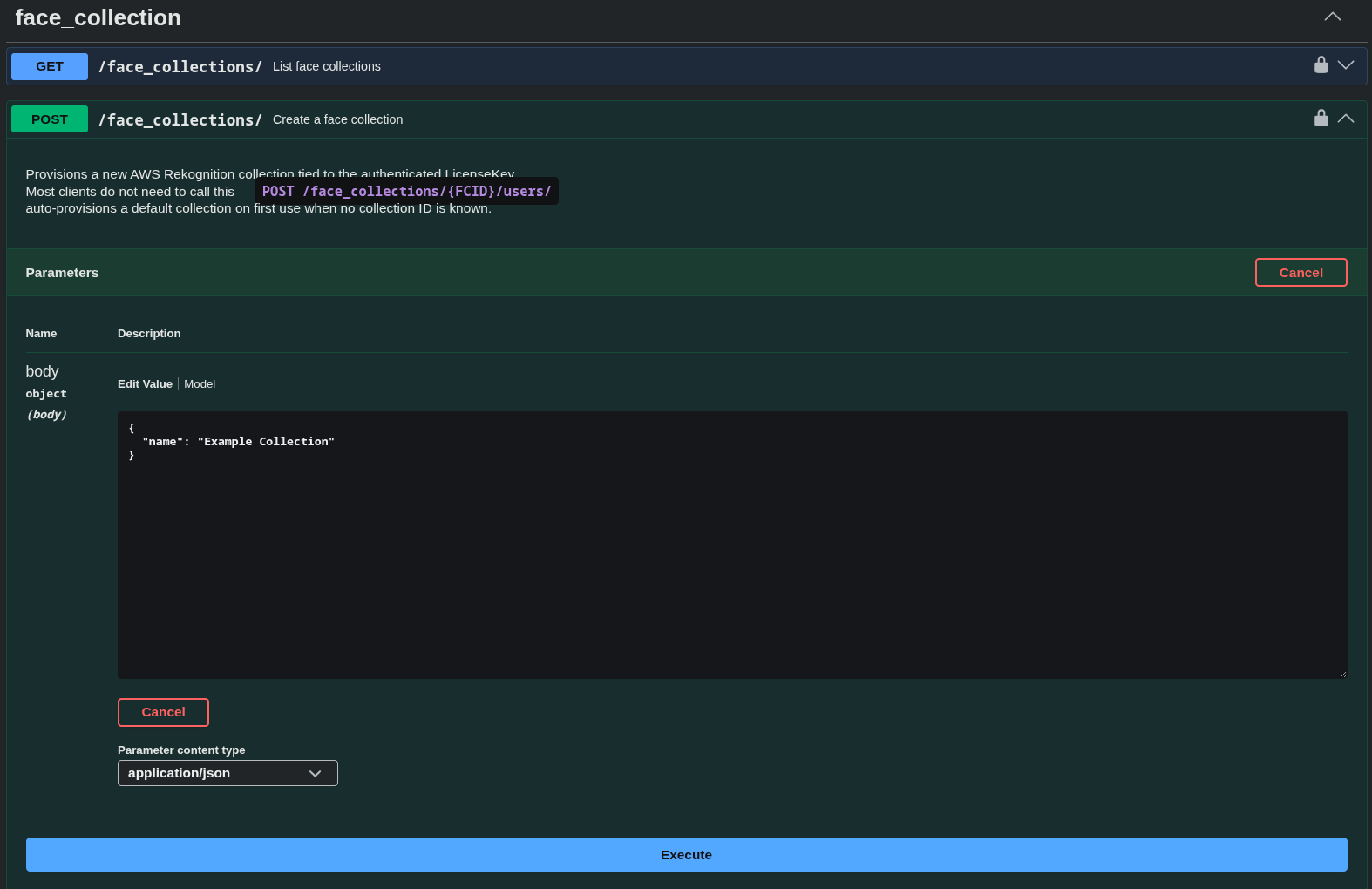
Example request body:
{
  "name": "Example Collection"
}
Example response: 201
{
  "id": 3,
  "collection_id": "cnvr-lkey-3-1783949241160",
  "collection_arn": "aws:rekognition:us-east-1:43...70:collection/cnvr-lkey-3-1783949241160",
  "name": "Example Collection",
  "aws_region": "us-east-1",
  "created_at": "2026-07-13T13:27:21.313387",
  "updated_at": "2026-07-13T13:27:21.313403"
}
Adding a User to a Face Collection
Make a POST api/v3/face_collections/{FACE_COLLECTION_ID}/users/ API call.
Adding an image (profile image) to this request is not required. A face will still need to be associated with the user, using
POST api/v3/face_collections/{FACE_COLLECTION_ID}/users/{USER_ID}/faces/
in order to use the user for facial recognition purposes.
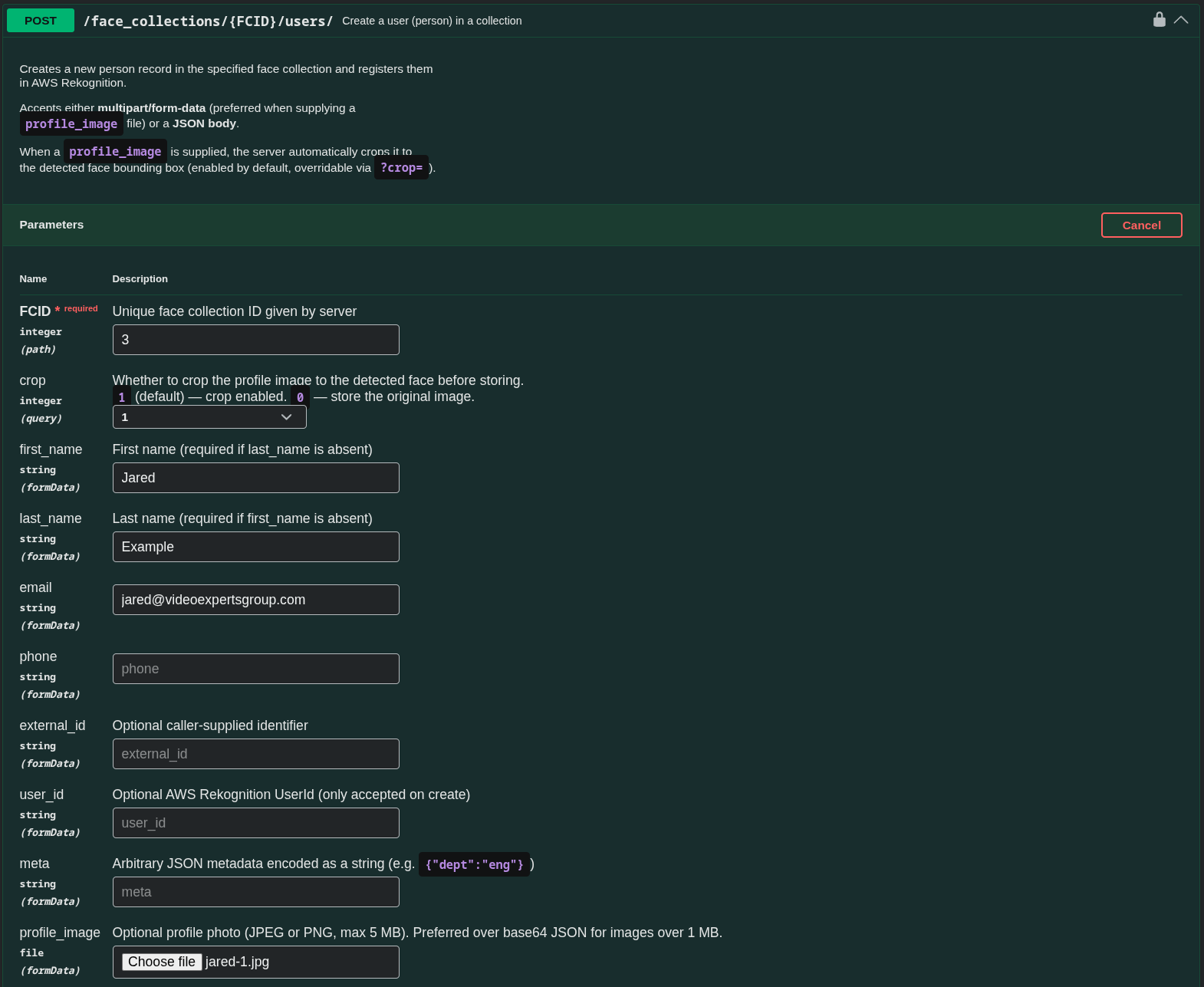
Example request:
curl -X 'POST' \
  'https://web.vxg-dev.vxg-dev.cloud-vms.com/api/v3/face_collections/3/users/?crop=1' \
  -H 'accept: application/json' \
  -H 'Authorization: LKey ...' \
  -H 'Content-Type: multipart/form-data' \
  -F 'first_name=Jared' \
  -F 'last_name=Example' \
  -F 'email=jared@videoexpertsgroup.com' \
  -F 'profile_image=@jared-1.jpg;type=image/jpeg'
Example response: 201
{
  "id": 4,
  "face_collection_id": 3,
  "user_id": "4",
  "external_id": "",
  "first_name": "Jared",
  "last_name": "Example",
  "email": "jared@videoexpertsgroup.com",
  "phone": "",
  "meta": null,
  "profile_image_url": "some_s3_url",
  "created_at": "2026-07-13T13:48:27.553016",
  "updated_at": "2026-07-13T13:48:27.553034"
}
Adding a Face to a User
Make a POST api/v3/face_collections/{FACE_COLLECTION_ID}/users/{USER_ID}/faces/ API call.
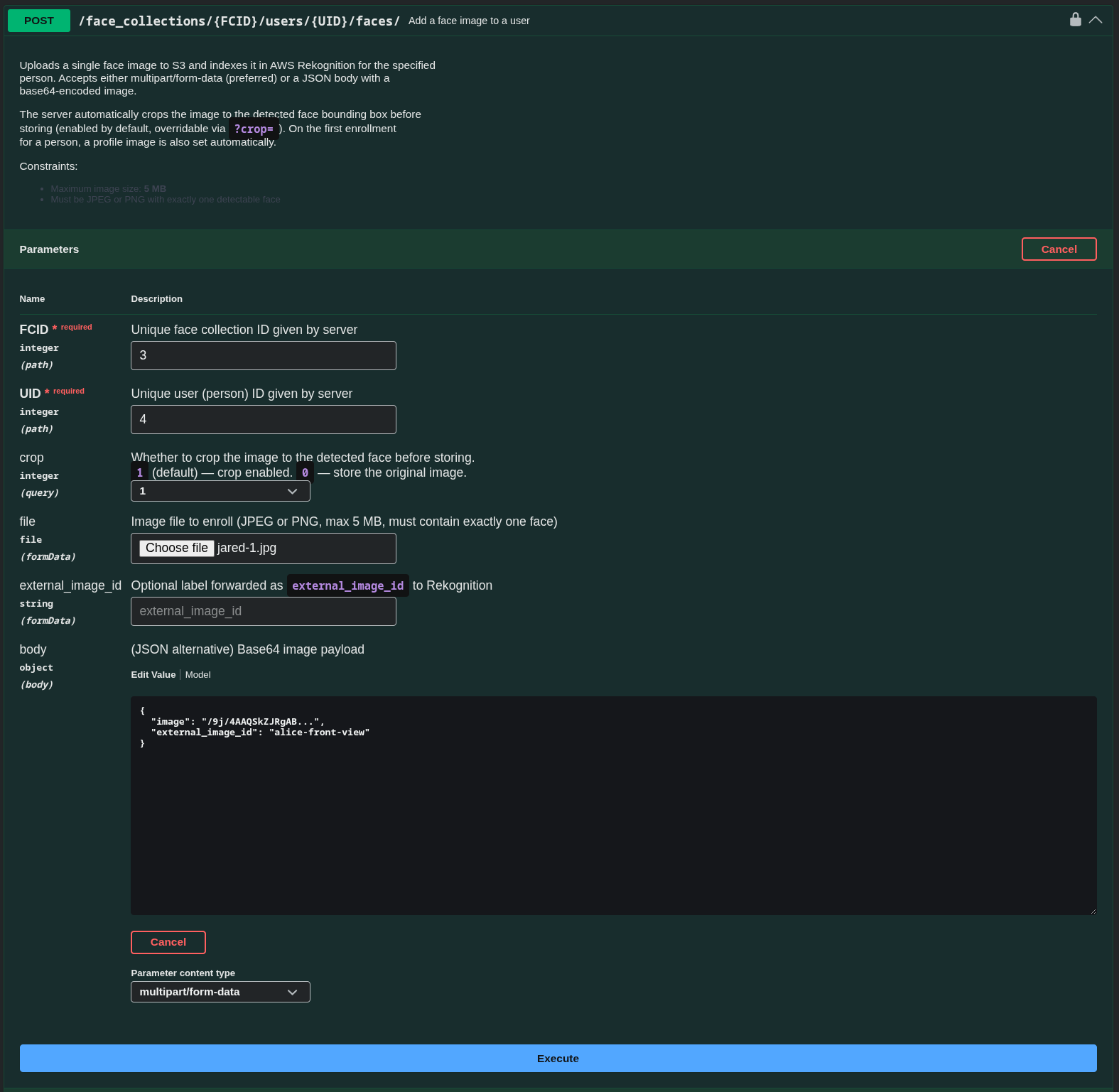
Expected request:
curl -X 'POST' \
  'https://web.vxg-dev.vxg-dev.cloud-vms.com/api/v3/face_collections/3/users/4/faces/?crop=1' \
  -H 'accept: application/json' \
  -H 'Authorization: LKey ...' \
  -H 'Content-Type: multipart/form-data' \
  -F 'file=@jared-1.jpg;type=image/jpeg'
Expected response: 201
{
  "objects": [
    {
      "id": 17,
      "face_collection_user_id": 4,
      "face_id": "5cfe2495-146b-4e60-8df5-24ba56174447",
      "external_image_id": "4",
      "image_id": "face_collection/3/4/1783951148961-2b788d11-jared-1.jpg",
      "image_url": "some_s3_url",
      "indexed_at": "2026-07-13T13:59:09.387056",
      "created_at": "2026-07-13T13:59:09.387905"
    }
  ]
}
Deleting a Face Collection
Make a DELETE api/v3/face_collections/{FACE_COLLECTION_ID}/ API call.
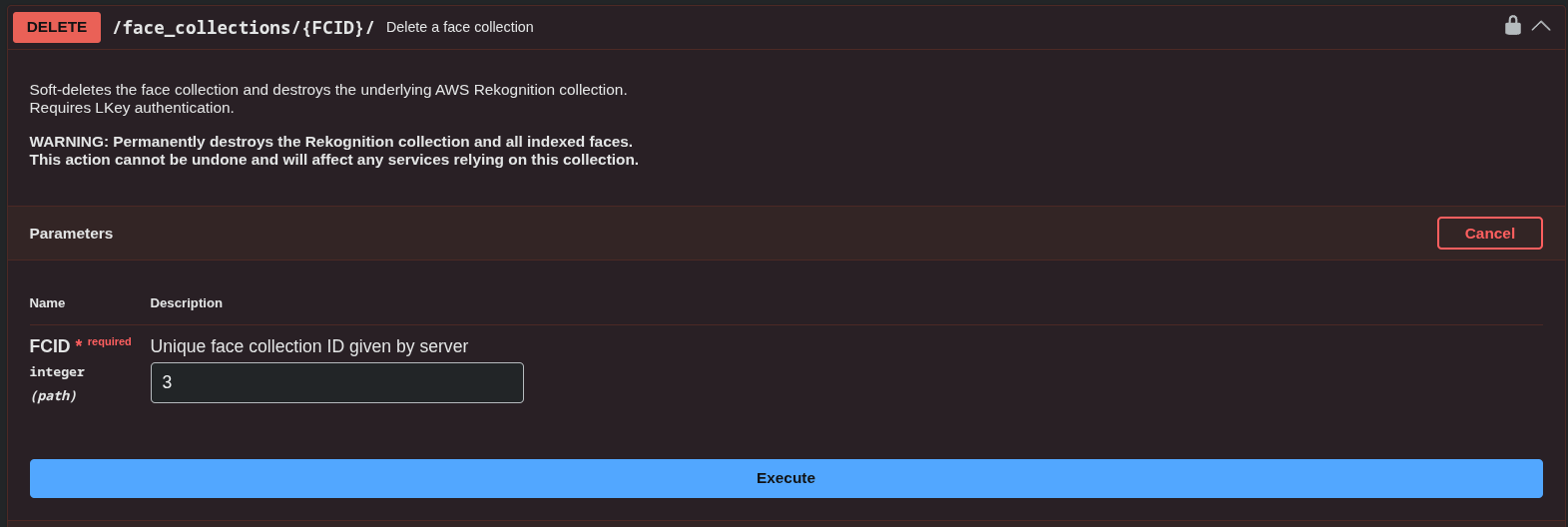
Where FCID is the id for the corresponding collection to delete.
Deleting a User
Make a DELETE api/v3/face_collections/{FACE_COLLECTION_ID}/users/ API call.
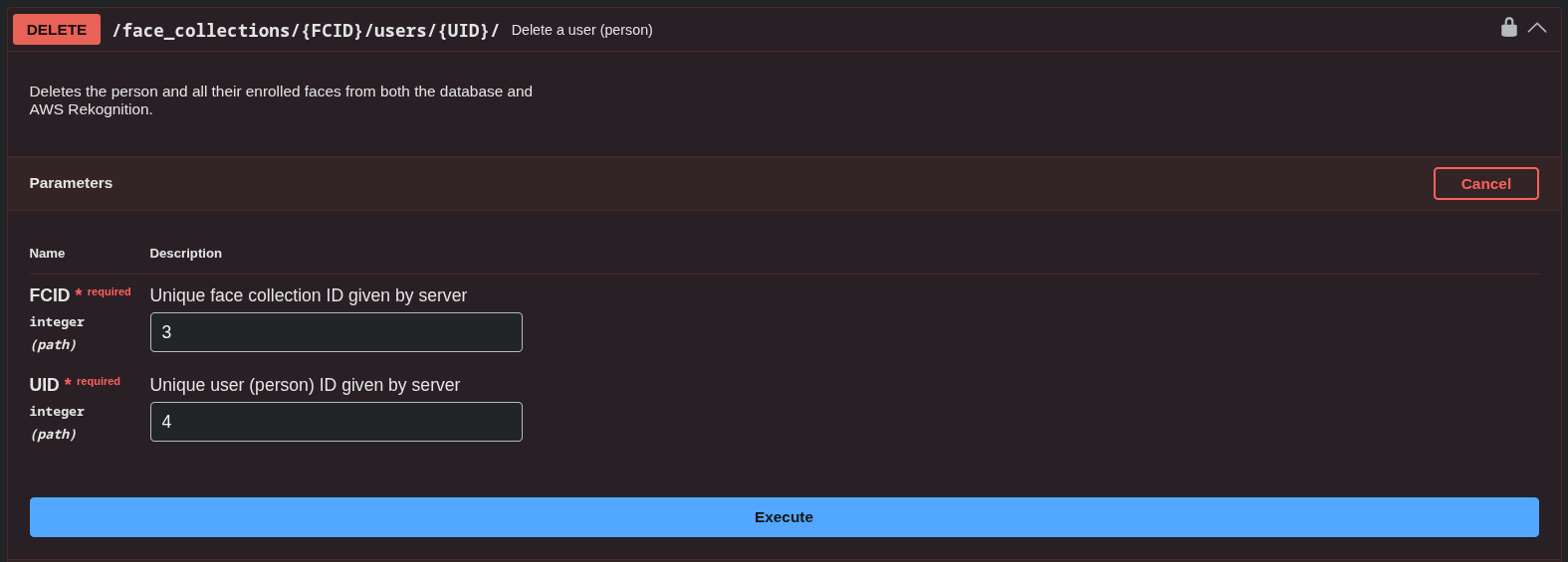
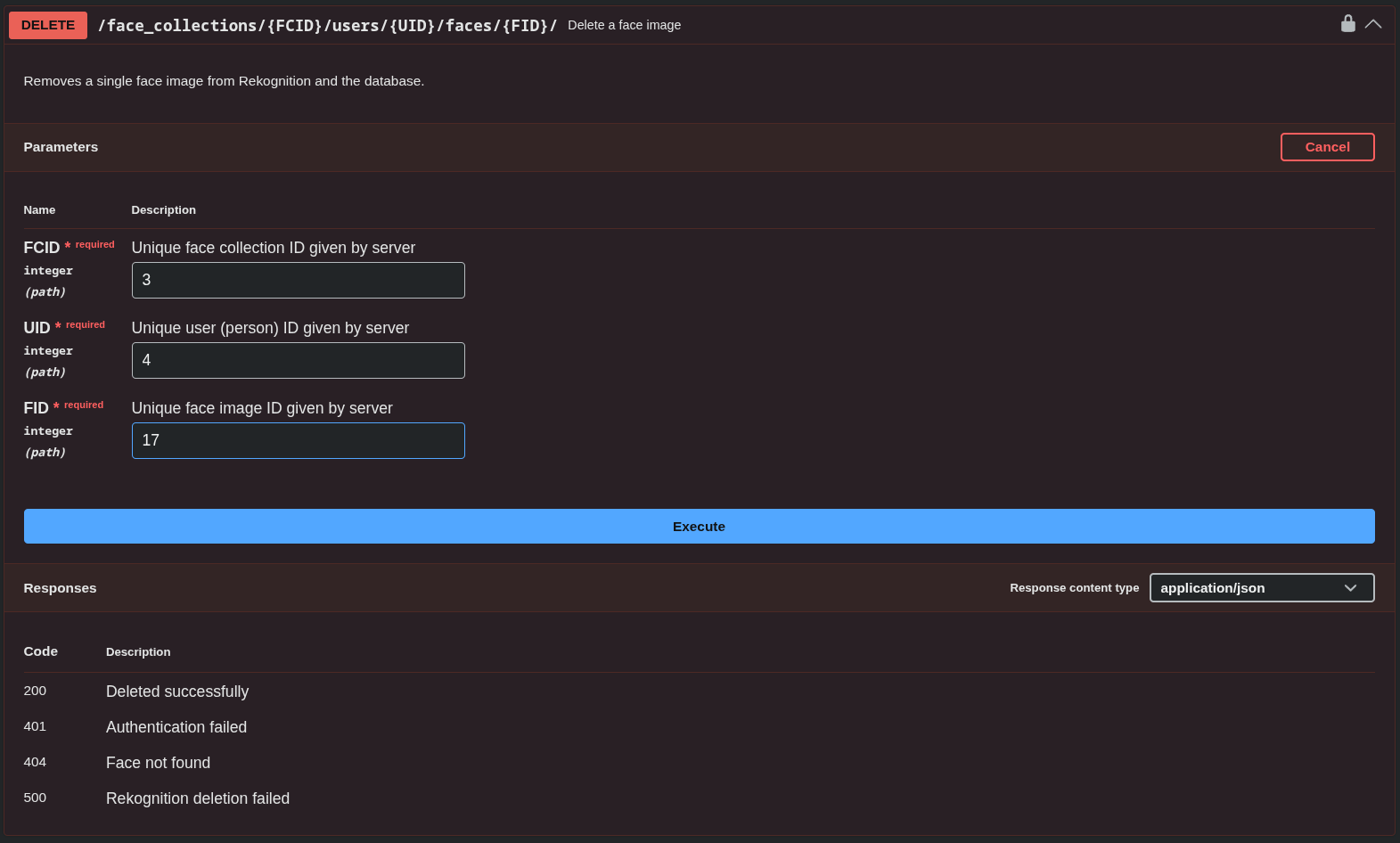
Where FCID is the id for the corresponding collection and UID is the id of the user to delete.
Deleting a Face
Make a DELETE api/v3/face_collections/{FACE_COLLECTION_ID}/users/{USER_ID}/faces/{FACE_ID} API call.