The following document describes backup of video recorded on a camera SD card to the Cloud VMS storage.
Table of contents:
Requirements
IP camera should support ONVIF Profile G. The implementation can differ from vendor to vendor. Cloud VMS is tested with the following vendors:
-
AXIS
-
Hanwha
-
Bosch
Pre-requisites
The following operations should be performed using IP camera Web UI:
-
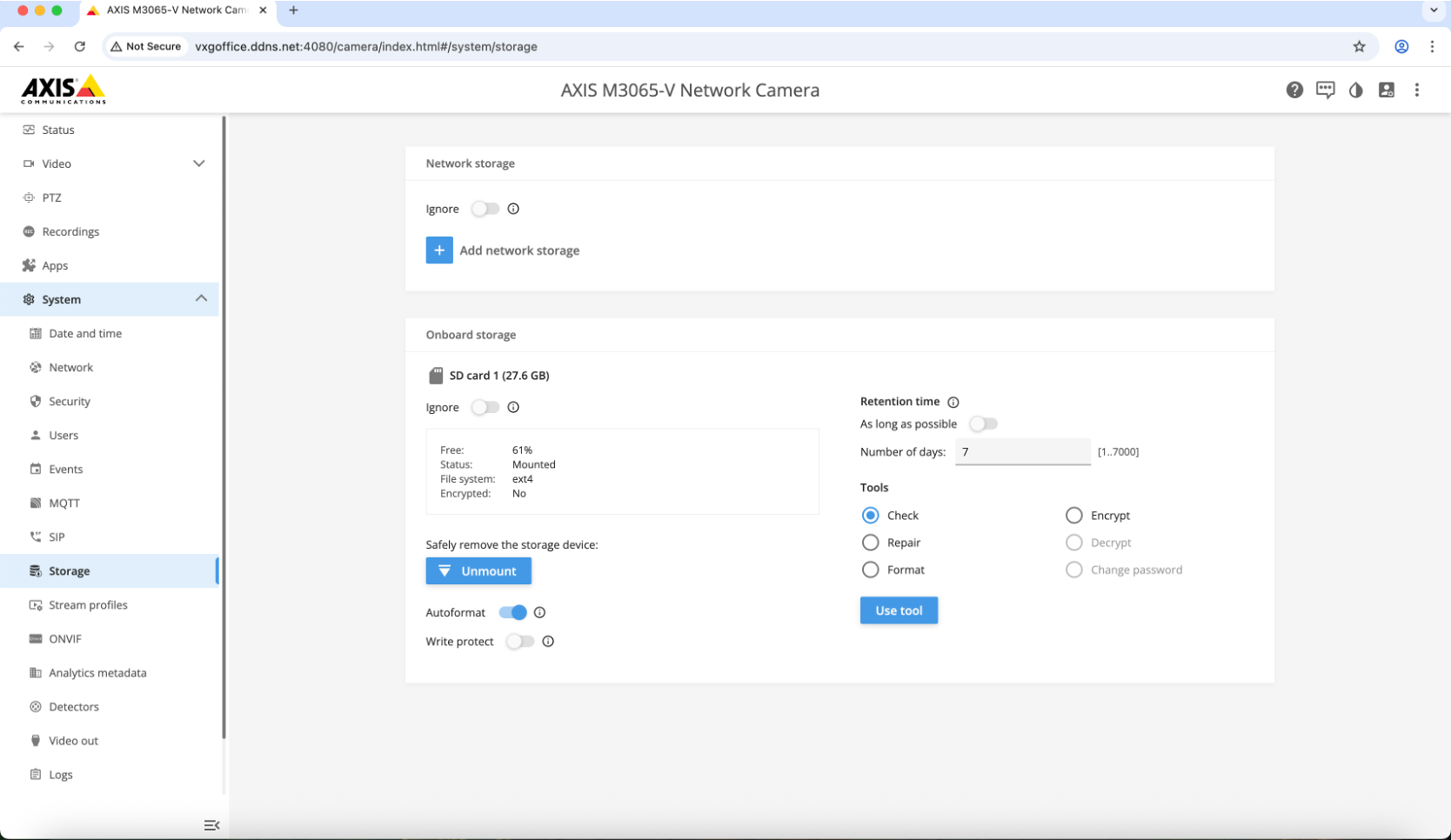
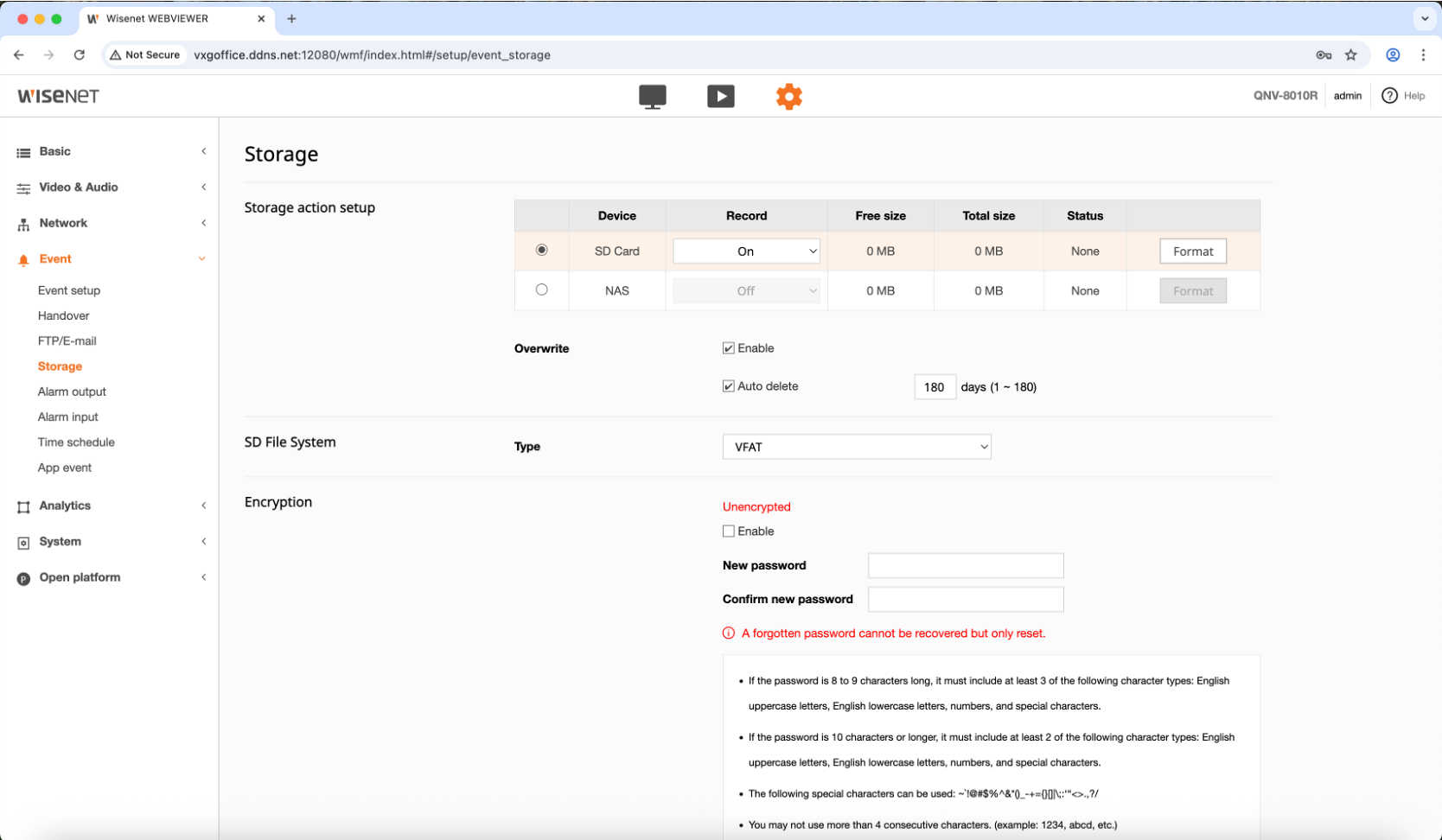
SD card should be properly installed and formatted.
-
Continuous recording should be configured and enabled.
-
Overwrite should be enabled (recording should not stop when SD card is full).
AXIS:
Hanwha:
Backup modes
The main 2 backup modes:
-
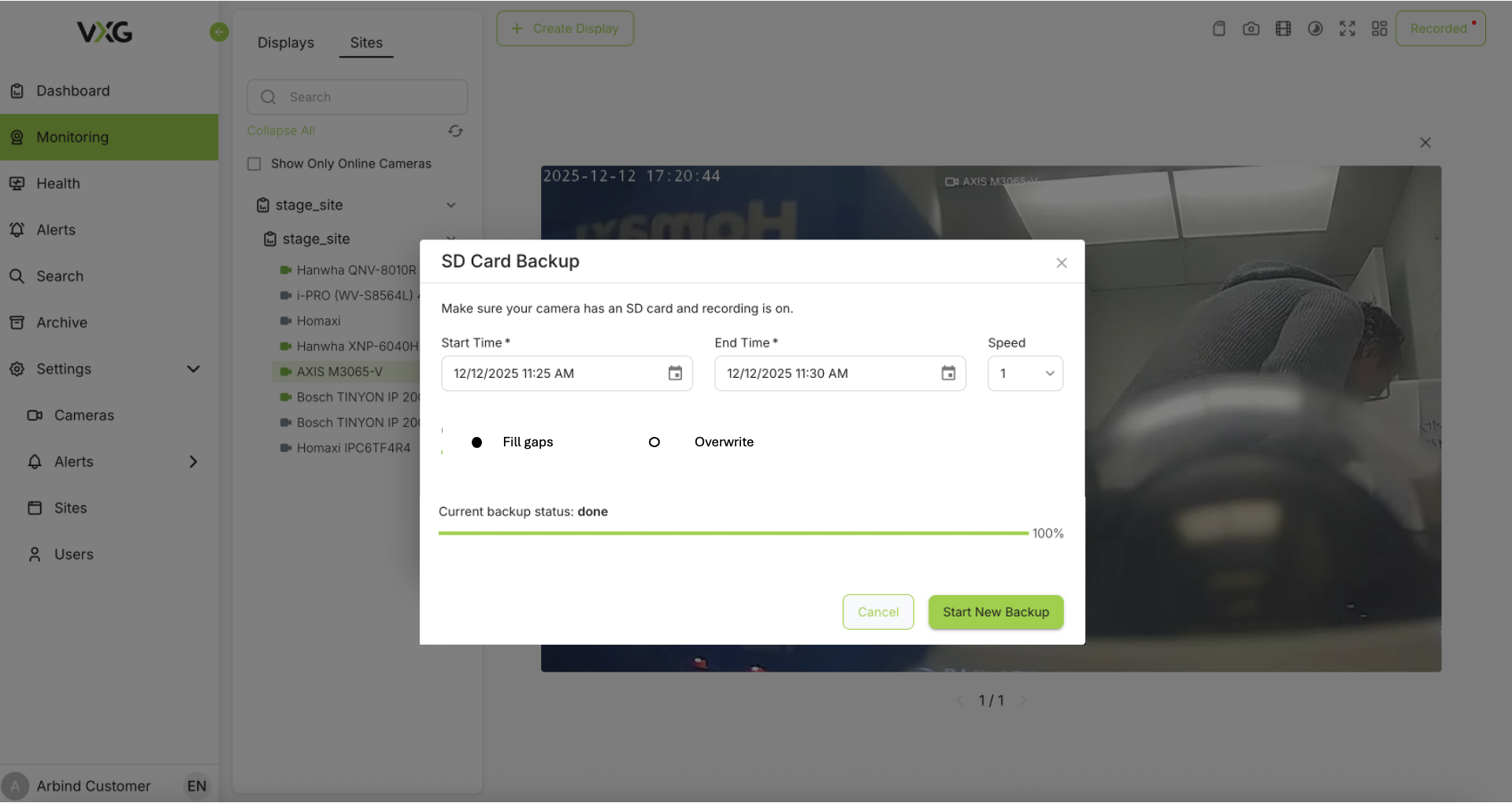
Fill backup - only fills the gaps in cloud recordings with video from SD card.
-
Overwrite backup - overwrites any existing video chunks with video from SD card.
Operation modes
Manual backup - user selects the start/end time and backup speed. The process runs in the background. The user can see the progress and the status. User can choose between Fill backup and Overwrite backup modes.
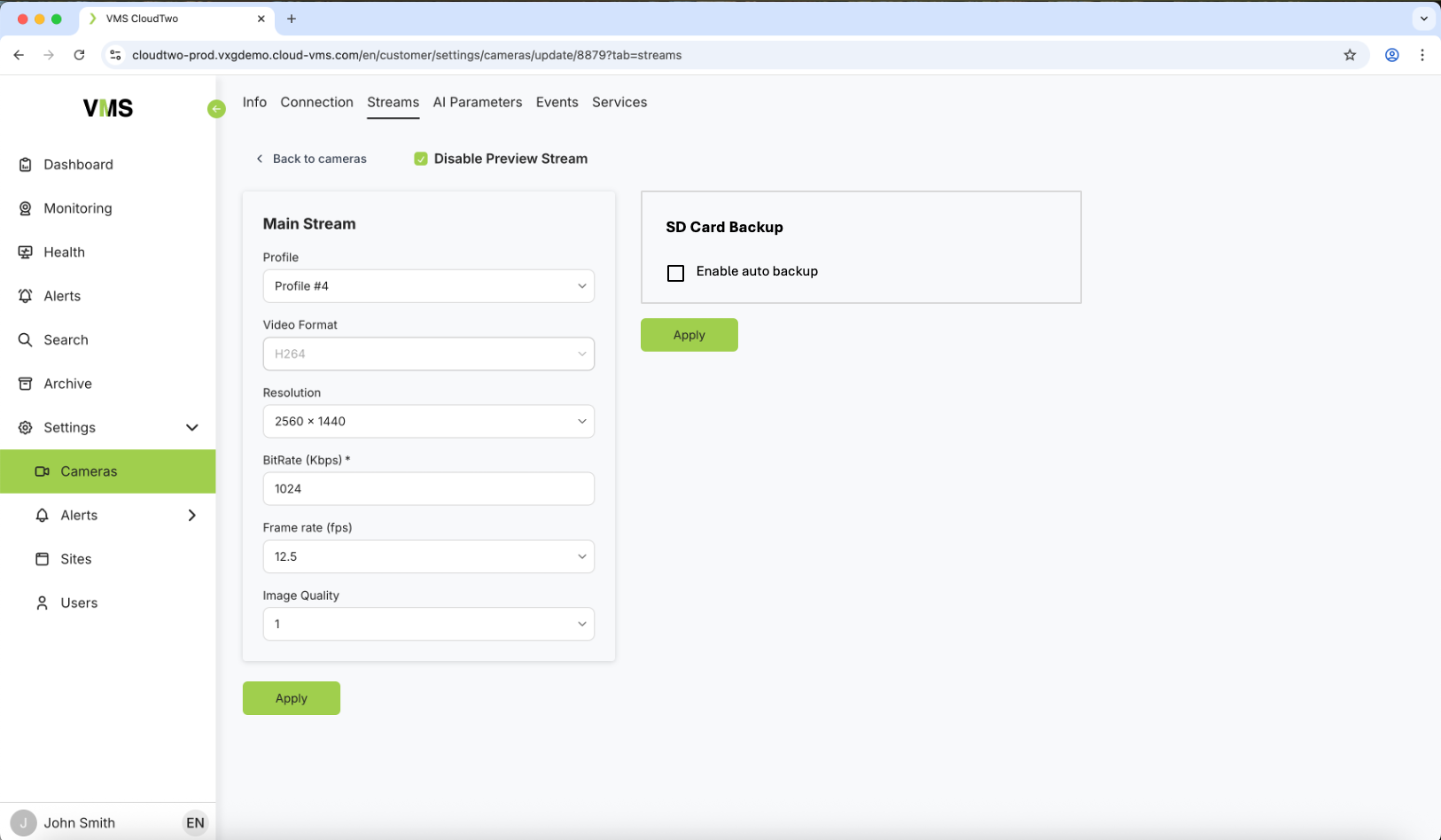
Auto backup - user can enable/disable this mode per camera. A background service will initiate the “Fill backup” mode every hour starting from the last successful backup timestamp.
User Interface
Manual backup:
Auto backup:
Limitations
Bandwidth. If bandwidth is insufficient for live video recording then backup will add to the bandwidth consumption and further affect live video recording. The resolution might be in using Manual backup only.
Vendor specific:
-
AXIS - only speed x1 (real time) works.
-
Bosch - high speeds result in broken video.
It’s likely that the vendor specific limitations can be lifted.