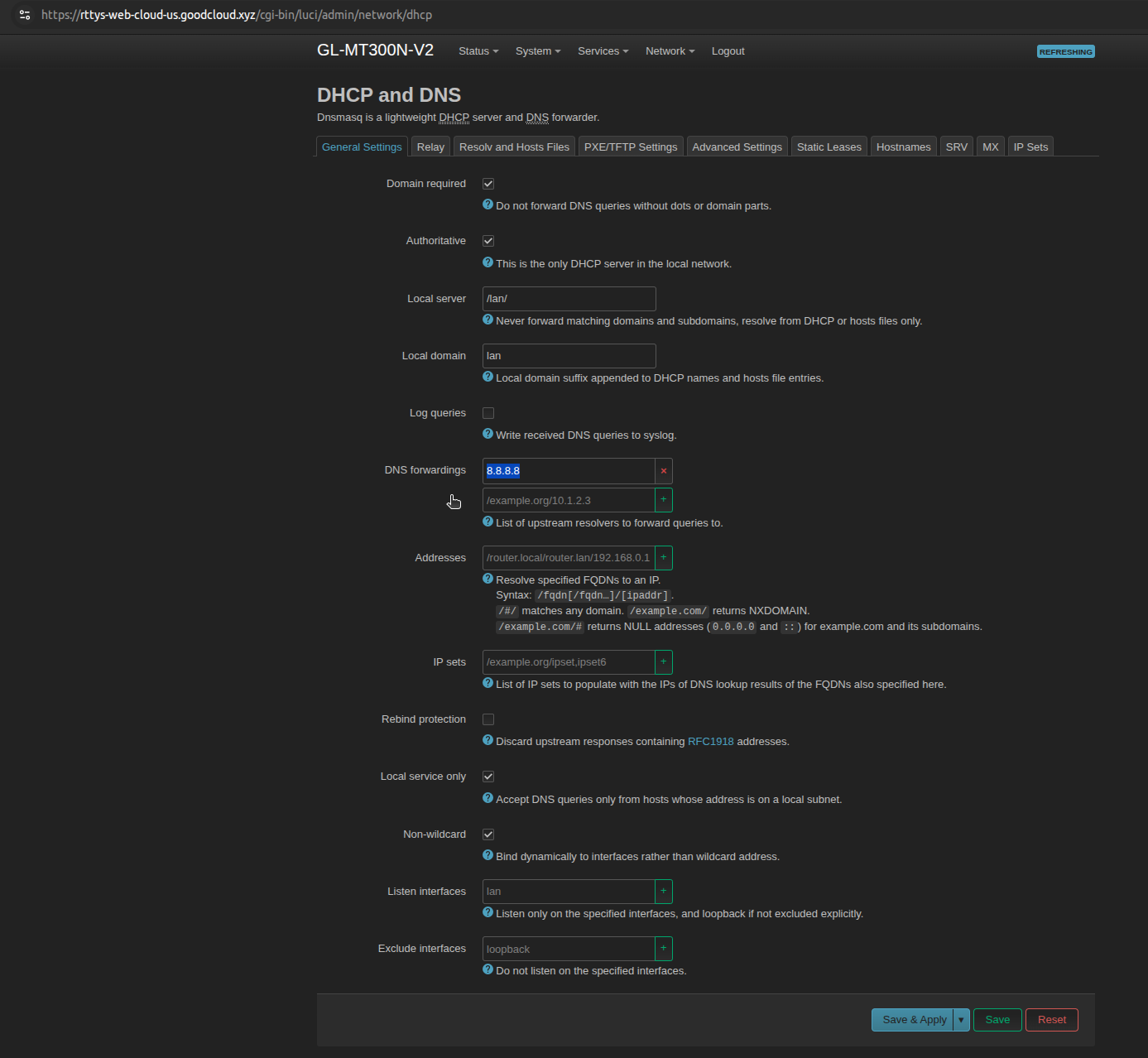
Sometimes the GLiNET fails to correctly resolve the DNS address of the VMS endpoint, and the connection to the cloud breaks. Please follow the steps below to analyze and resolve the issue.
-
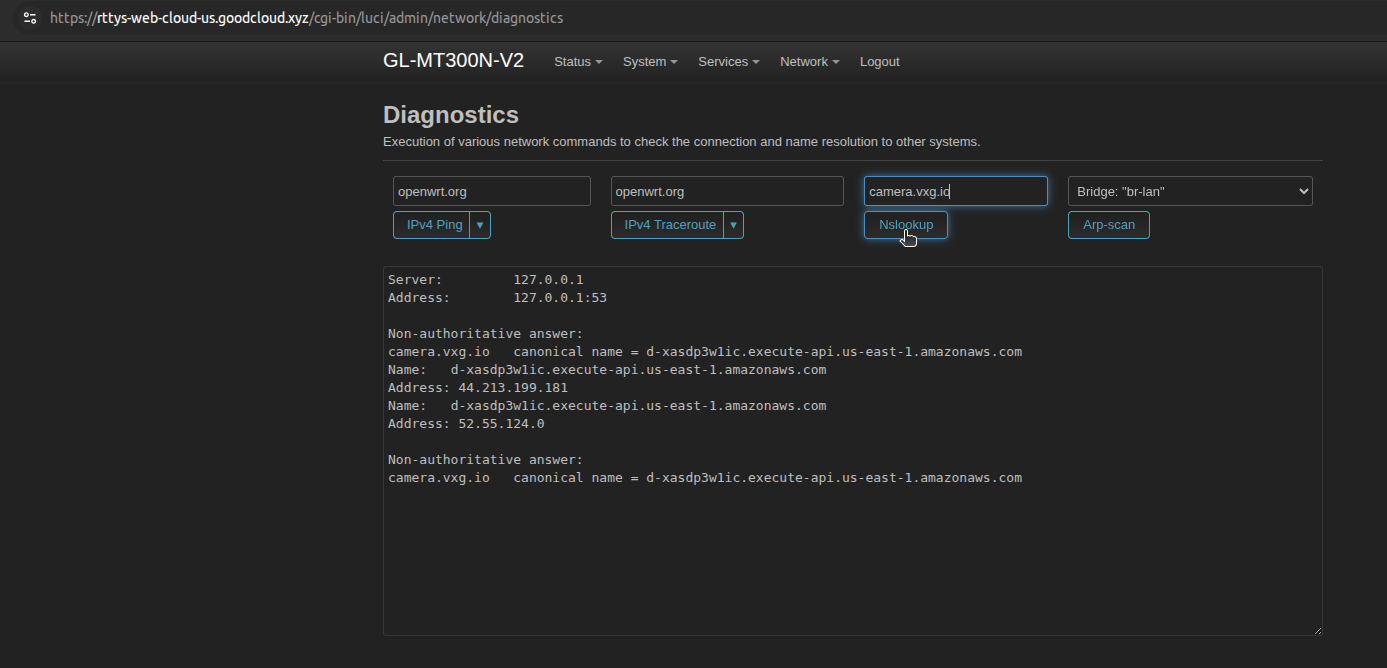
Go to <ROUTER_IP>/cgi-bin/luci/admin/network/diagnostics and run NSLookup for the following domains:
-
google.com
-
gslb-us.goodcloud.xyz
-
gslb-eu.goodcloud.xyz
-
camera.vxg.io
-
-
If the domains are resolved, the DNS is not an issue. If they fail, go to Network → DHCP and DNS and set DNS forwardings to Google’s public DNS server 8.8.8.8, then repeat nslookup.