Direct IP cameras
-
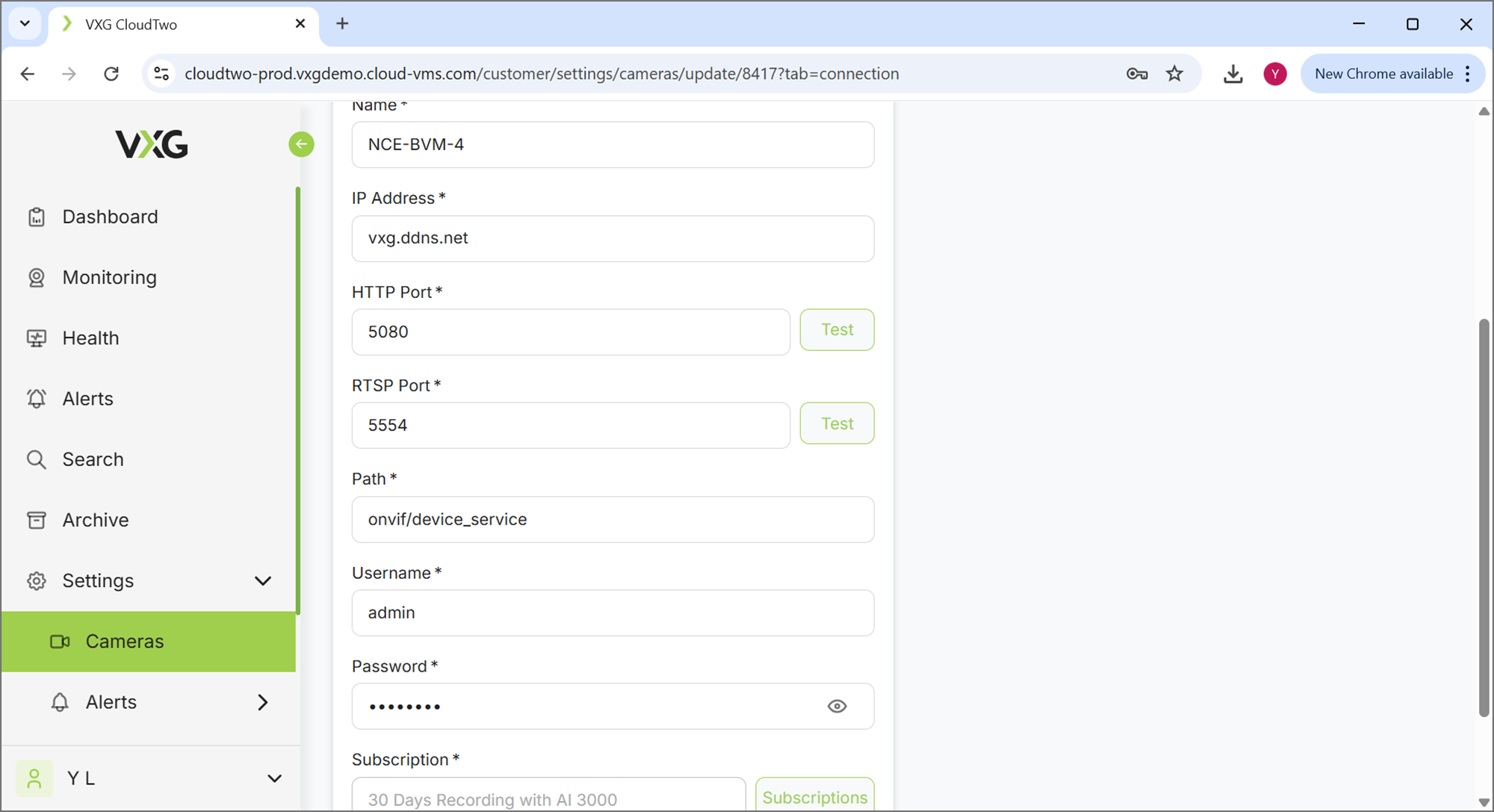
Make sure that the IP address or domain name and ports are correct.
Use “Test” button on Camera->Settings->Connection tab of the specific camera
-
Make sure the username and password correct. Connect to the Web UI using the specified IP address and domain name and HTTP port
In the example above it’s:
http://vxg.ddns.net:5080
-
Make sure that camera is streaming using H.264 or H.265 codec (not MJPEG)
Uplink Camera
-
Make sure that the Serial Number and MAC are correct. For some cameras, the Serial Number is same as the MAC address.
-
Make sure the format is the correct. For example, for some camera the Serial Number is same as the MAC address or slightly reformatted. Examples:
S/n: 0046D82B5F81
MAC: 00:46:D8:2B:5F:81
S/n: 00:46:D8:2B:5F:81
MAC: 00:46:D8:2B:5F:81
-
Make sure that both S/n and MAC are in uppercase
-
Make sure that the username and password are correct. If you connect to this camera locally in your network (using it’s local IP address) try to open it in a browser and login using the same username and password.
-
If the camera was previously connected to a different account - the camera must be rebooted to connect to a new account.